Your baby’s whole day on one dial
Sleep, feeds, diapers, medicines and vaccines. Either parent logs it — the other sees it right away on their own phone.
Android — an installation file from this site, Google Play coming soon. iPhone — a web app with an icon on the Home Screen.
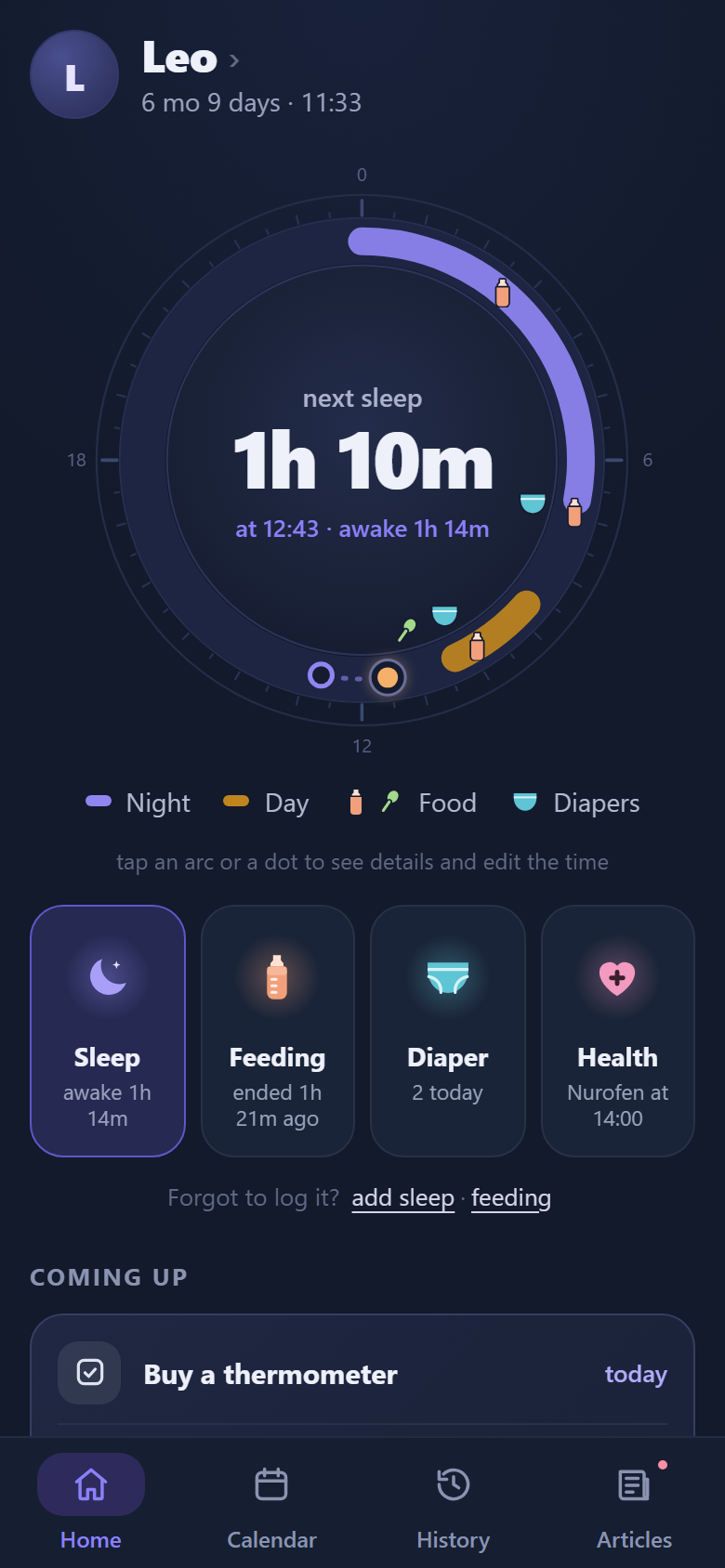
Everything the pediatrician asks about is already logged
Logging a nap or a feed takes one tap. Those taps turn into charts, norms and tips.
Sleep and wake windows
How long your baby slept during the day and at night, plus a forecast of the next nap that adapts to your days.
A day runs from waking to waking, not from midnightFeeds and solids
A timer for each breast, bottle and formula, solids with a food catalog, reactions and allergens.
Solids timeline by the Russian Union of PediatriciansMedicines and temperature
Scheduled courses with a reminder for every dose, a “given” check and a temperature chart.
See who gave a dose and whenVaccines
Records of every vaccine, the plan by age and a PDF for the doctor or daycare.
The built-in plan follows the Russian national scheduleGrowth
Weight and height on a chart next to the norms for boys and girls, plus weight-for-length.
WHO growth standardsCalendar and milestones
Doctors, tests and to-dos with reminders. First smile, first steps and other skills, with photos.
28 skills with WHO and CDC timelinesNew in the Feed
About sleep, solids and health — no sign-up needed. In the app these articles are in the Feed.
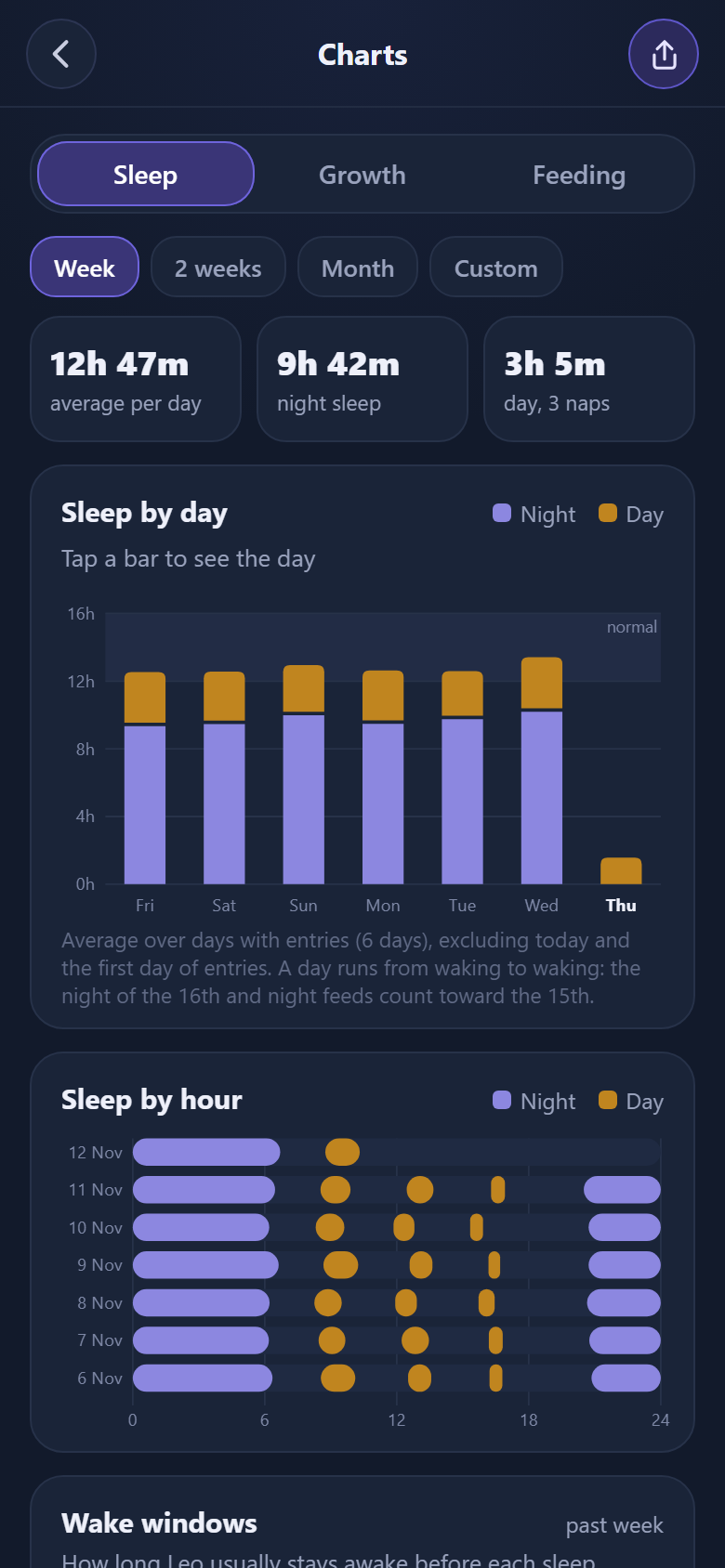
Charts
Sleep by day and the routine by hour: you can see how the rhythm changes.
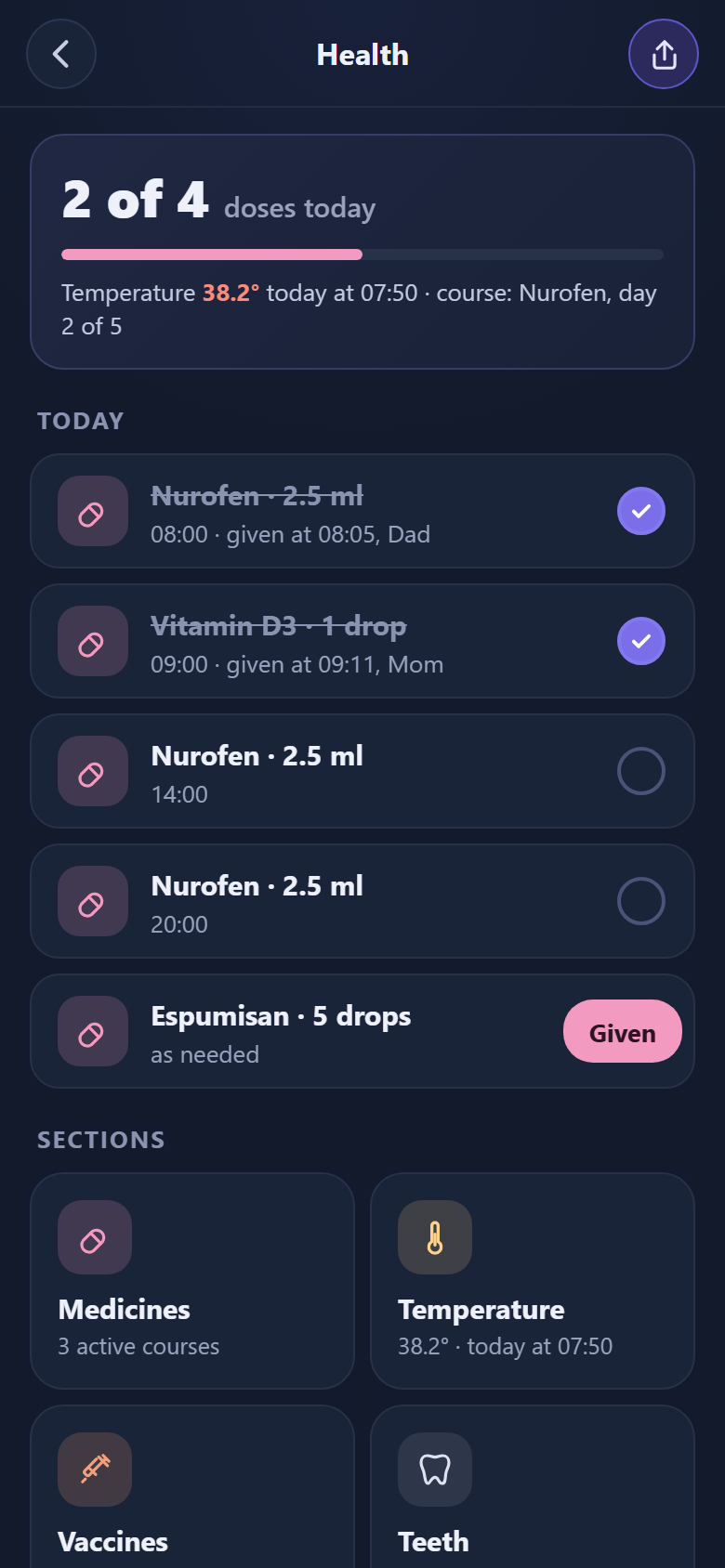
Health
Today’s doses, temperature, courses, vaccines and teeth.
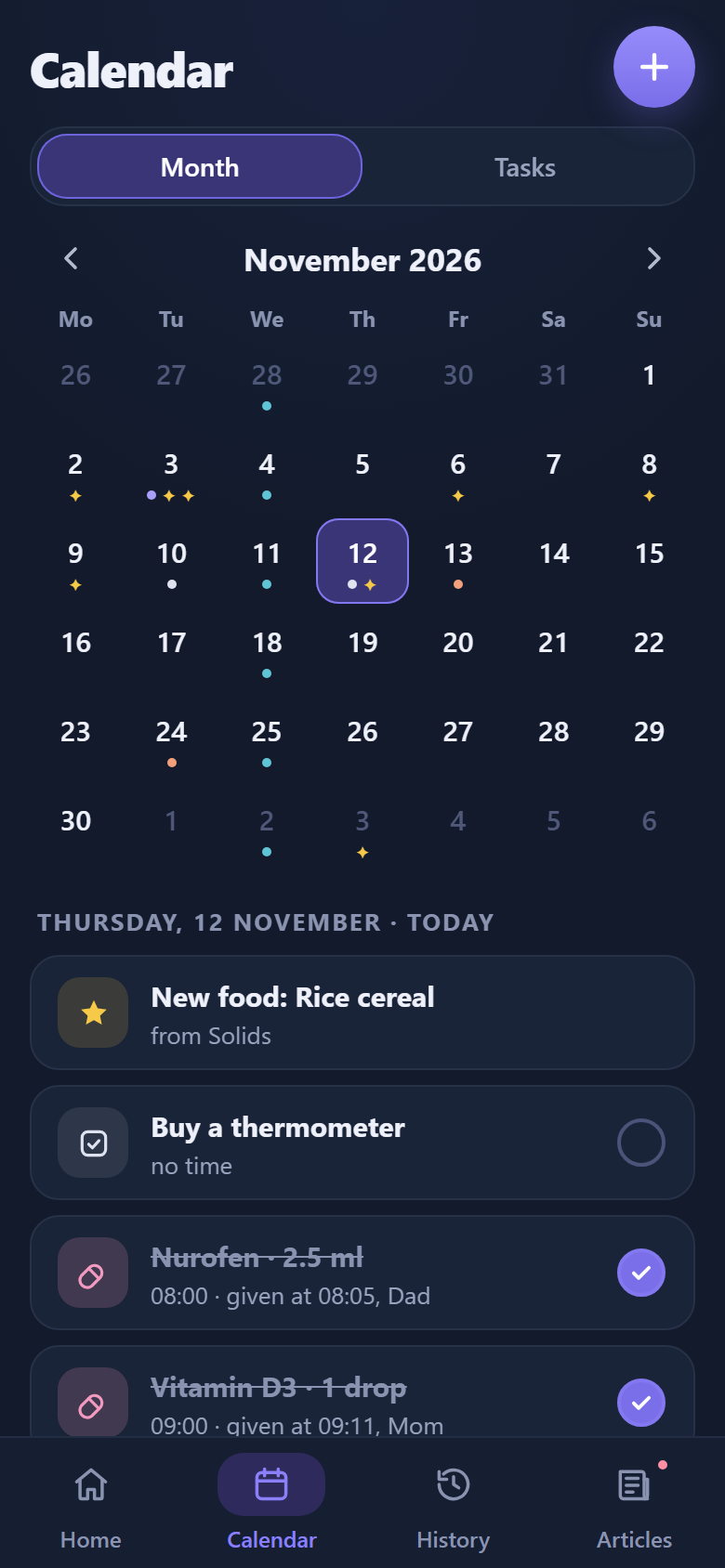
Calendar
The month with marks and today’s to-dos. Repeats and reminders.
One baby, two phones
- 1Invite the other parentAn invite code works for 24 hours. A grandma or a nanny can join the family too.
- 2Both of you see every entryWho fed the baby, who gave the medicine and when. No more asking each other.
- 3Works offlineIn an elevator or at the cottage, entries are saved on the phone and sent to the server once you’re back online.
On Android and iPhone
Android
Download APKInstallation file for Android 7 and newer
Google Play — coming soon
How to check the file is genuine
SHA-256 of the file: —
Developer signature (SHA-256 of the certificate): 1154fa4d1bf7fad5e8eb0aeed89d90b6598480006e5902d8f89f31b0b371ffff
An update installs over the old version only if the signature matches — that’s how Android protects against fakes.
- Download the file and open it from the download notification.
- If your phone asks, allow installing from the browser: Settings → “Install unknown apps”.
- Tap “Install”. Google Play Protect may warn that the app isn’t from the store — that’s expected, tap “Install anyway”.
A new version installs over the old one and your entries stay: they are stored on the server.
iPhone
Open app.babytrack.ruThe web version works in Safari and goes on your Home Screen
- Open app.babytrack.ru in Safari.
- Tap Share and choose “Add to Home Screen”.
- Open Baby Track from the icon and sign in with your email.
- In Settings (the gear on the home screen), turn on notifications to get reminders (iOS 16.4 and newer).
Only your family sees your baby’s entries
Server in Russia
Data is stored on a server in Moscow and travels only over an encrypted connection.
By invitation only
Entries are visible only to the people you invited to your family. No password — you sign in with a code from an email.
You can delete it
The account and all its data are deleted with a button in the app. How to do it